Adb connection through wifi

https://developer.android.com/studio/command-line/adb?hl=ko


 Android 11 or higher

1. Enter Developer Options > Wireless Debugging

2. Change to "Disabled" -> "In use"

3. Select device pairing by pairing code

     Check the pop-up

4. PC: adb pair ip:pair_port

     ip:pair_port is set to the information shown in the popup

5. PC: Enter the pairing code that appears in the pop-up at "Enter pairing code:"

6. PC: adb connect ip:adb_port

     Use ip and port displayed on the wireless debugging screen

7. PC: adb logcat


Android 10 or lower (also works on Android 11)

1. Developer Options > USB Debugging

2. Change to "Disabled" -> "In use"

3. Connect the device PC via USB

4. PC: adb tcpip 5555

5. PC: adb connect ip:5555

6. PC: adb logcat

Create Swing CustomLineBorder (apply by specifying top, left, bottom, right)

Overriding border to apply border only to the specified side

package test.swing;

import javax.swing.*;
import javax.swing.border.AbstractBorder;
import java.awt.*;

// Custom Line border
public class MainTest {
    public static void main(String[] args) {
        MainUI mainUI = new MainUI();
        mainUI.setVisible(true);
    }
}

class CustomLineBorder extends AbstractBorder
{
    public static final int TOP = 0x1;
    public static final int LEFT = 0x2;
    public static final int BOTTOM = 0x4;
    public static final int RIGHT = 0x8;
    private Color mColor;
    private int mThickness;
    private int mTarget;

    public CustomLineBorder(Color colour, int thickness, int target)
    {
        mColor = colour;
        mThickness = thickness;
        mTarget = target;
    }

    @Override
    public void paintBorder(Component c, Graphics g, int x, int y, int width, int height)
    {
        if (g != null)
        {
            g.setColor(mColor);
            if ((mTarget & TOP) != 0) {
                for (int i = 0; i < mThickness; i++) {
                    g.drawLine(x, y + i, width, y + i);
                }
            }
            if ((mTarget & LEFT) != 0) {
                for (int i = 0; i < mThickness; i++) {
                    g.drawLine(x + i, y, x + i, height);
                }
            }
            if ((mTarget & BOTTOM) != 0) {
                for (int i = 0; i < mThickness; i++) {
                    g.drawLine(x, height - i - 1, width, height - i - 1);
                }
            }
            if ((mTarget & RIGHT) != 0) {
                for (int i = 0; i < mThickness; i++) {
                    g.drawLine(width - i - 1, y, width - i - 1, height);
                }
            }
        }
    }

    @Override
    public Insets getBorderInsets(Component c)
    {
        return (getBorderInsets(c, new Insets(0, 0, 0, 0)));
    }

    @Override
    public Insets getBorderInsets(Component c, Insets insets)
    {
        insets.top = 0;
        insets.left = 0;
        insets.bottom = 0;
        insets.right = 0;
        if ((mTarget & TOP) != 0) {
            insets.top = mThickness;
        }
        if ((mTarget & LEFT) != 0) {
            insets.left = mThickness;
        }
        if ((mTarget & BOTTOM) != 0) {
            insets.bottom = mThickness;
        }
        if ((mTarget & RIGHT) != 0) {
            insets.right = mThickness;
        }

        return insets;
    }

    @Override
    public boolean isBorderOpaque()
    {
        return true;
    }
}

class MainUI extends JFrame {
    MainUI() {
        setPreferredSize(new Dimension(400, 420));
        
        JPanel pane = new JPanel(new FlowLayout(FlowLayout.CENTER, 0, 20));
        pane.setBackground(new Color(0x85, 0x85, 0x85));

        JLabel label = new JLabel("Red, 1, TOP");
        label.setPreferredSize(new Dimension(300, 40));
        label.setOpaque(true);
        label.setBackground(Color.WHITE);
        label.setBorder(new CustomLineBorder(Color.RED, 1, CustomLineBorder.TOP));
        pane.add(label);

        label = new JLabel("Red, 5, LEFT");
        label.setPreferredSize(new Dimension(300, 40));
        label.setOpaque(true);
        label.setBackground(Color.WHITE);
        label.setBorder(new CustomLineBorder(Color.RED, 5, CustomLineBorder.LEFT));
        pane.add(label);

        label = new JLabel("Red, 5, Bottom");
        label.setPreferredSize(new Dimension(300, 40));
        label.setOpaque(true);
        label.setBackground(Color.WHITE);
        label.setBorder(new CustomLineBorder(Color.RED, 5, CustomLineBorder.BOTTOM));
        pane.add(label);

        label = new JLabel("Red, 15, Right");
        label.setPreferredSize(new Dimension(300, 40));
        label.setOpaque(true);
        label.setBackground(Color.WHITE);
        label.setBorder(new CustomLineBorder(Color.RED, 15, CustomLineBorder.RIGHT));
        pane.add(label);

        label = new JLabel("Blue, 5, TOP LEFT");
        label.setPreferredSize(new Dimension(300, 40));
        label.setOpaque(true);
        label.setBackground(Color.WHITE);
        label.setBorder(new CustomLineBorder(Color.BLUE, 5, CustomLineBorder.LEFT | CustomLineBorder.TOP));
        pane.add(label);

        label = new JLabel("Blue, 5, TOP RIGHT BOTTOM");
        label.setPreferredSize(new Dimension(300, 40));
        label.setOpaque(true);
        label.setBackground(Color.WHITE);
        label.setBorder(new CustomLineBorder(Color.BLUE, 5, CustomLineBorder.TOP | CustomLineBorder.RIGHT | CustomLineBorder.BOTTOM));
        pane.add(label);

        add(pane);

        pack();
    }
}

Run


Howto check android sepolicy status

Show sepolicy by process

1. connect adb to android device

2. adb shell ps -eZ

......                            
u:r:priv_app:s0:c522,c768      u10_a248      29036    825 33799276 202616 0                  0 S com.google.android.googlequicksearchbox:search    
u:r:priv_app:s0:c522,c768      u10_a247      29162    825 15532196 85196 0                   0 S com.google.process.gapps    
u:r:gmscore_app:s0:c522,c768   u10_a247      29170    825 16504752 154944 0                  0 S com.google.android.gms    
u:r:priv_app:s0:c522,c768      u10_a248      29251    825 16446808 150508 0                  0 S com.google.android.googlequicksearchbox:interactor    
u:r:untrusted_app:s0:c1,c257,c512,c768 u0_a257 29267  825 32630088 143932 0                  0 S com.android.chrome:privileged_process2    
u:r:app_zygote:s0:c512,c768    u0_a257       29274    825 16171312 74484 0                   0 S com.android.chrome_zygote    
u:r:untrusted_app:s0:c5,c257,c522,c768 u10_a261 29314 825 15570464 85916 0                   0 S com.google.android.webview:webview_service    
......

Show sepolicy by file

1. connect adb to android device

2. adb shell ls -lZ

......                            
drwxr-xr-x  18 root   system    u:object_r:tmpfs:s0                    380 2019-11-22 01:22 mnt    
drwxr-xr-x   4 root   root      u:object_r:vendor_file:s0             4096 2009-01-01 00:00 odm    
drwxr-xr-x   2 root   root      u:object_r:oemfs:s0                   4096 2009-01-01 00:00 oem    
drwxrwx--x   3 root   system    u:object_r:omr_file:s0                4096 2019-01-06 12:31 omr    
drwxr-xr-x   4 root   root      u:object_r:vendor_file:s0             4096 2009-01-01 00:00 optics    
drwxr-xr-x   7 root   root      u:object_r:system_file:s0             4096 2009-01-01 00:00 prism    
dr-xr-xr-x 846 root   root      u:object_r:proc:s0                       0 1970-01-01 09:00 proc    
drwxr-xr-x   9 root   root      u:object_r:system_file:s0             4096 2009-01-01 00:00 product    
......


Commonly used adb logcat options


adb version tested

$ adb --version
Android Debug Bridge version 1.0.41
Version 31.0.2-7242960

Print all options

$ adb logcat -h              
Usage: logcat [options] [filterspecs]

General options:
  -b, --buffer=<buffer>       Request alternate ring buffer(s):
                                main system radio events crash default all
                              Additionally, 'kernel' for userdebug and eng builds, and
......

Check logcat buffer size

  -g, --buffer-size           Get the size of the ring buffers within logd.


$ adb logcat -g
main: ring buffer is 5 MiB (4 MiB consumed), max entry is 5120 B, max payload is 4068 B
system: ring buffer is 2 MiB (1 MiB consumed), max entry is 5120 B, max payload is 4068 B
crash: ring buffer is 256 KiB (0 B consumed), max entry is 5120 B, max payload is 4068 B
kernel: ring buffer is 256 KiB (0 B consumed), max entry is 5120 B, max payload is 4068 B

Change logcat buffer size

  -b, --buffer=<buffer>       Request alternate ring buffer(s):
                                main system radio events crash default all
                              Additionally, 'kernel' for userdebug and eng builds, and
                              'security' for Device Owner installations.
                              Multiple -b parameters or comma separated list of buffers are
                              allowed. Buffers are interleaved.
                              Default -b main,system,crash,kernel.

  -G, --buffer-size=<size>    Set size of a ring buffer in logd. May suffix with K or M.
                              This can individually control each buffer's size with -b.


set system buffer

$ adb logcat -G 5M -b system

$ adb logcat -g             
main: ring buffer is 5 MiB (4 MiB consumed), max entry is 5120 B, max payload is 4068 B
system: ring buffer is 5 MiB (1 MiB consumed), max entry is 5120 B, max payload is 4068 B
crash: ring buffer is 256 KiB (0 B consumed), max entry is 5120 B, max payload is 4068 B
kernel: ring buffer is 256 KiB (0 B consumed), max entry is 5120 B, max payload is 4068 B

set all buffer

$ adb logcat -G 5M          

$ adb logcat -g   
main: ring buffer is 5 MiB (4 MiB consumed), max entry is 5120 B, max payload is 4068 B
system: ring buffer is 5 MiB (1 MiB consumed), max entry is 5120 B, max payload is 4068 B
crash: ring buffer is 5 MiB (0 B consumed), max entry is 5120 B, max payload is 4068 B
kernel: ring buffer is 5 MiB (0 B consumed), max entry is 5120 B, max payload is 4068 B

Clear all logs

  -c, --clear                 Clear (flush) the entire log and exit.
                              if -f is specified, clear the specified file and its related rotated
                              log files instead.
                              if -L is specified, clear pstore log instead.


$ adb logcat -c

Dump logs(non block)

  -d                          Dump the log and then exit (don't block).


$ adb logcat -d
--------- beginning of system
12-30 15:11:05.979  1132  5037 I ActivityManager: Process com.samsung.android.dqagent
--------- beginning of main
12-30 15:11:05.980   825   825 I Zygote  : Process 25662 exited due to signal 9 (Killed)
12-30 15:11:05.980   604   604 I lmkd    : cached 5, sandbox(not0) 2
12-30 15:11:05.981  1132  1423 I libprocessgroup: Successfully killed process cgroup 
......
12-30 15:11:14.978   805   805 E audit   : type=1327 audit(1640844674.973:574366029):
12-30 15:11:14.978   805   805 E audit   : type=1400 audit(1640844674.977:574366030):
12-30 15:11:14.978   805   805 E audit   : type=1300 audit(1640844674.977:574366030):
$

Save logs(block)

Option (adb logcat -h)
Outfile files:
  -f, --file=<file>           Log to file instead of stdout.
  -r, --rotate-kbytes=<n>     Rotate log every <n> kbytes. Requires -f option.
  -n, --rotate-count=<count>  Sets max number of rotated logs to <count>, default 4.


1000K, Max 20, save to /storage/emulated/0/logcat

$ adb logcat -r 1000 -n 20 -f /storage/emulated/0/logcat/logcat.log

$ adb shell ls -lh /storage/emulated/0/logcat/
total 676K
-rw-rw---- 1 root everybody 634K 2021-12-30 15:24 logcat.log
-rw-rw---- 1 root everybody 0.9M 2021-12-30 15:24 logcat.log.01

$ adb shell ls -lh /storage/emulated/0/logcat/
total 1.0M
-rw-rw---- 1 root everybody 222K 2021-12-30 15:25 logcat.log
-rw-rw---- 1 root everybody 0.9M 2021-12-30 15:24 logcat.log.01
-rw-rw---- 1 root everybody 0.9M 2021-12-30 15:24 logcat.log.02

Filtering

Filtering:
  -s                          Set default filter to silent. Equivalent to filterspec '*:S'
......

filterspecs are a series of 
  <tag>[:priority]

where <tag> is a log component tag (or * for all) and priority is:
  V    Verbose (default for <tag>)
  D    Debug (default for '*')
  I    Info
  W    Warn
  E    Error
  F    Fatal
  S    Silent (suppress all output)


$ adb logcat -s "AlarmManager:*" "BatteryStatsService:*"
12-30 15:39:24.326  1132  1836 E AlarmManager: Set nextNonWakeup as mNextNonWakeupDelive
12-30 15:39:24.353  1132  4035 I BatteryStatsService: In wakeup_callback: resumed from 
12-30 15:39:25.054  1132  4935 I BatteryStatsService: In wakeup_callback: suspend aborted
12-30 15:39:26.410  1132  3545 V AlarmManager: unblockMARsRestrictedAlarmsForUidPackage

Print with thread, time

-v <format>, --format=<format> options:
  Sets log print format verb and adverbs, where <format> is:
    brief long process raw tag thread threadtime time


default : Depends on the adb version
$ adb logcat -s "AlarmManager:*"
12-30 15:26:40.860  1132  1836 E AlarmManager: Set nextNonWakeup as mNextNonWakeupDelive

$ adb logcat -s "AlarmManager:*" -v time
12-30 15:22:01.749 E/AlarmManager( 1132): Set nextNonWakeup as mNextNonWakeupDeliveryTime

$ adb logcat -s "AlarmManager:*" -v thread
E( 1132: 1836) Set nextNonWakeup as mNextNonWakeupDeliveryTime=781912438 , orig nextNonWakeup=0

$ adb logcat -s "AlarmManager:*" -v threadtime
12-30 15:14:24.021  1132  1836 E AlarmManager: Set nextNonWakeup as mNextNonWakeupDelive

Apply color by log level

$ adb logcat -v color


Show/hide JScrollPane scrollbar

 Set using setHorizontalScrollBarPolicy, setVerticalScrollBarPolicy


package test.swing;

import javax.swing.*;
import javax.swing.table.DefaultTableModel;
import java.awt.*;

// JScrollPane scrollbar show / hide
public class MainTest {
    public static void main(String[] args) {
        MainUI mainUI = new MainUI();
        mainUI.setVisible(true);
    }
}

class MainUI extends JFrame {
    JScrollPane scrollPane1 = null;
    JScrollPane scrollPane2 = null;
    JScrollPane scrollPane3 = null;
    JTable table1 = null;
    JTable table2 = null;
    JTable table3 = null;
    DefaultTableModel tableModel = null;

    MainUI() {
        setPreferredSize(new Dimension(400, 600));
        setLayout(new GridLayout(3, 1));

        System.out.println("JScrollPane.HORIZONTAL_SCROLLBAR_AS_NEEDED = " + JScrollPane.HORIZONTAL_SCROLLBAR_AS_NEEDED);
        System.out.println("JScrollPane.HORIZONTAL_SCROLLBAR_NEVER = " + JScrollPane.HORIZONTAL_SCROLLBAR_NEVER);
        System.out.println("JScrollPane.HORIZONTAL_SCROLLBAR_ALWAYS = " + JScrollPane.HORIZONTAL_SCROLLBAR_ALWAYS);

        System.out.println("JScrollPane.VERTICAL_SCROLLBAR_AS_NEEDED = " + JScrollPane.VERTICAL_SCROLLBAR_AS_NEEDED);
        System.out.println("JScrollPane.VERTICAL_SCROLLBAR_NEVER = " + JScrollPane.VERTICAL_SCROLLBAR_NEVER);
        System.out.println("JScrollPane.VERTICAL_SCROLLBAR_ALWAYS = " + JScrollPane.VERTICAL_SCROLLBAR_ALWAYS);

        table1 = new JTable();
        tableModel = (DefaultTableModel) table1.getModel();
        tableModel.addColumn("Column");
        tableModel.addRow(new Object[]{"SCROLLBAR_AS_NEEDED"});
        scrollPane1 = new JScrollPane(table1);
        add(scrollPane1);

        System.out.println("default h policy = " + scrollPane1.getHorizontalScrollBarPolicy() + ", v policy = " + scrollPane1.getVerticalScrollBarPolicy());

        table2 = new JTable();
        tableModel = (DefaultTableModel) table2.getModel();
        tableModel.addColumn("Column");
        tableModel.addRow(new Object[]{"HORIZONTAL_SCROLLBAR_NEVER"});
        tableModel.addRow(new Object[]{"VERTICAL_SCROLLBAR_ALWAYS"});
        scrollPane2 = new JScrollPane(table2);
        scrollPane2.setHorizontalScrollBarPolicy(JScrollPane.HORIZONTAL_SCROLLBAR_NEVER);
        scrollPane2.setVerticalScrollBarPolicy(JScrollPane.VERTICAL_SCROLLBAR_ALWAYS);
        add(scrollPane2);

        table3 = new JTable();
        tableModel = (DefaultTableModel) table3.getModel();
        tableModel.addColumn("Column");
        tableModel.addRow(new Object[]{"HORIZONTAL_SCROLLBAR_ALWAYS"});
        tableModel.addRow(new Object[]{"VERTICAL_SCROLLBAR_NEVER"});
        scrollPane3 = new JScrollPane(table3);
        scrollPane3.setHorizontalScrollBarPolicy(JScrollPane.HORIZONTAL_SCROLLBAR_ALWAYS);
        scrollPane3.setVerticalScrollBarPolicy(JScrollPane.VERTICAL_SCROLLBAR_NEVER);
        add(scrollPane3);

        pack();
    }
}

Run

JScrollPane.HORIZONTAL_SCROLLBAR_AS_NEEDED = 30
JScrollPane.HORIZONTAL_SCROLLBAR_NEVER = 31
JScrollPane.HORIZONTAL_SCROLLBAR_ALWAYS = 32
JScrollPane.VERTICAL_SCROLLBAR_AS_NEEDED = 20
JScrollPane.VERTICAL_SCROLLBAR_NEVER = 21
JScrollPane.VERTICAL_SCROLLBAR_ALWAYS = 22
default h policy = 30, v policy = 20


Resize panel when component moves to the next line in FlowLayout

 Code to adjust the height of the JPanel to the last component when the Resize event occurs


package test.swing;

import javax.swing.*;
import java.awt.*;
import java.awt.event.*;

// resize panel
public class MainTest {
    public static void main(String[] args) {
        MainUI mainUI = new MainUI();
        mainUI.setVisible(true);
    }
}

class MainUI extends JFrame {
    FlowLayout flowLayout = new FlowLayout(FlowLayout.LEFT, 0, 0);
    JPanel resizePane = new JPanel(flowLayout);
    JButton testBtn1 = new JButton("TEST 1");
    JButton testBtn2 = new JButton("TEST 2");
    JButton testBtn3 = new JButton("TEST 3");
    JButton testBtn4 = new JButton("TEST 4");
    JButton testBtn5 = new JButton("TEST 5");
    JComponent lastComponent = testBtn5;

    MainUI() {
        setPreferredSize(new Dimension(500, 300));
        setLayout(new BorderLayout());

        resizePane.setBackground(Color.BLUE);
        resizePane.addComponentListener(new ComponentAdapter() {
            Point prevPoint = null;

            @Override
            public void componentResized(ComponentEvent e) {
                super.componentResized(e);
                if (prevPoint == null || prevPoint.y != lastComponent.getLocation().y) {
                    System.out.println("lastComonent moved to " + lastComponent.getLocation());
                    resizePane.setPreferredSize(new Dimension(resizePane.getPreferredSize().width, lastComponent.getLocation().y + lastComponent.getHeight()));
                    resizePane.updateUI();
                }
                prevPoint = lastComponent.getLocation();
            }
        });

        resizePane.add(testBtn1);
        resizePane.add(testBtn2);
        resizePane.add(testBtn3);
        resizePane.add(testBtn4);
        resizePane.add(testBtn5);
        add(resizePane, BorderLayout.NORTH);

        JPanel pane = new JPanel();
        pane.add(new JLabel("TEST TEST"));
        add(pane, BorderLayout.CENTER);

        pack();
    }
}
RUN


Install MS teams on Ubuntu

https://docs.microsoft.com/microsoftteams/get-clients#install-manually-from-the-command-line 

How to install


# For entering passwd when sudo is first executed
$ sudo ls 

$ curl https://packages.microsoft.com/keys/microsoft.asc | sudo apt-key add -

$ sudo sh -c 'echo "deb [arch=amd64] https://packages.microsoft.com/repos/ms-teams stable main" > /etc/apt/sources.list.d/teams.list'

$ sudo apt update
$ sudo apt install teams

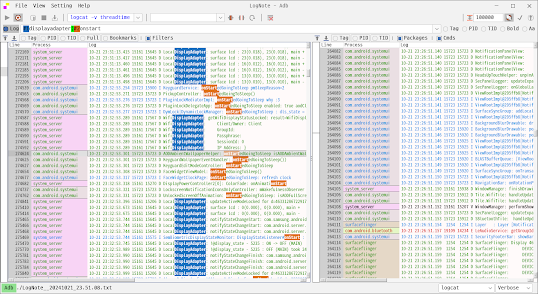
Lognote - Log viewer, Android logcat viewer for Windows, Linux, Mac

android logcat viewer for Windows, Linux, Mac   https://github.com/cdcsgit/lognote Filtered log viewer Android logcat viewer, kotlin ...